 DE
DE
Data sovereignty
Every model runs on the appliance in your building. With no external model API, no prompt and no document leaves your network.
Local models
souveraen.ai runs its language models entirely on your own hardware: open weights, pinned versions, no external model API. No prompt and no document leaves your building.
 Open-weight modelsNo external model API
 A fixed monthly price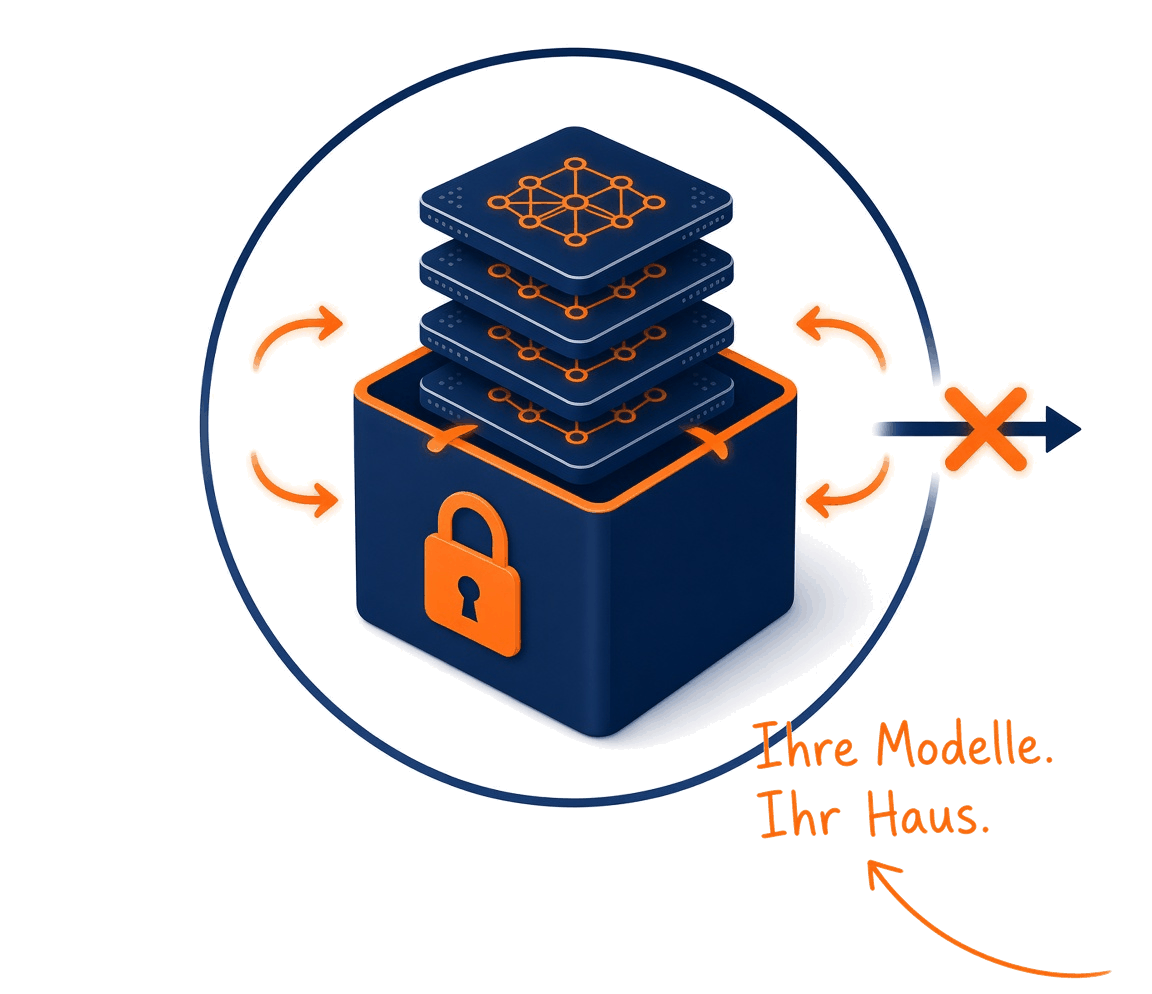
How a model reaches the appliance
No model is fetched from the internet. Every one takes the same path first.
Only models with open weights and a licence that allows commercial use.
Quality, speed and memory use are measured on the reference appliance.

Version and revision are recorded. Exactly the reviewed build is what runs.
Model builds arrive on the appliance as reviewed packages, including with no internet access.
The routing layer assigns every task to the matching model and logs the call.
A new model version replaces the old one only after it has taken the same path. Nothing is fetched automatically at runtime.
Why local models
The weights are open, the versions are pinned, and the bill does not follow how many questions you ask.
Every model runs on the appliance in your building. With no external model API, no prompt and no document leaves your network.
Every model version is pinned and delivered after review. What answers today answers the same way tomorrow, until you approve an update.
A fixed monthly price instead of billing per token. Heavy use does not make the platform more expensive.
In air-gap operation the platform works with no internet connection at all. Updates arrive as reviewed offline packages.
One way in, several models
Applications talk to one stable interface. Behind it the routing layer assigns every task to the pinned model. Chat, search, reranking and the safety check run separately, but on the same appliance.
A stable interfaceAssignment is configuredLogged on every request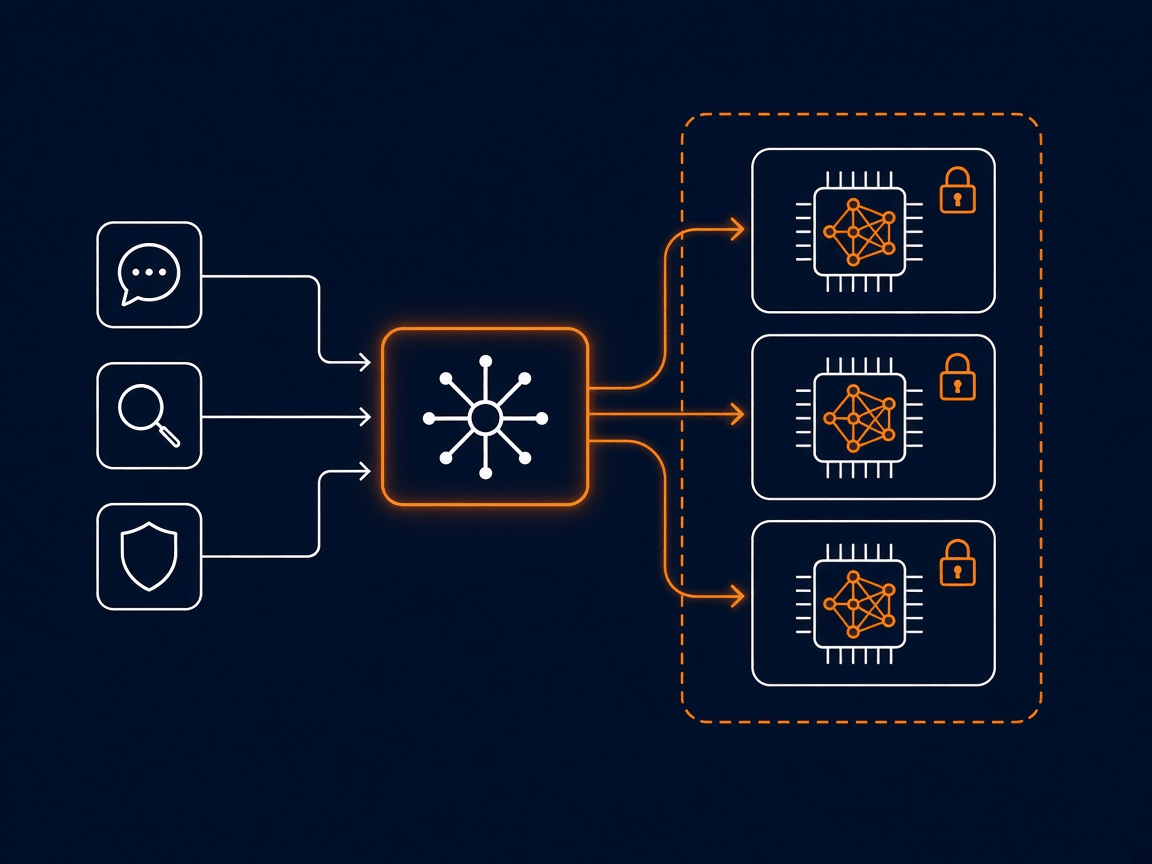
Models on the appliance
Each model has a clearly bounded task and a licence that allows commercial use. Every model sits on the appliance in your building.
| Model | Task | Licence |
|---|---|---|
| Qwen3-8B | Chat and reasoning in the Appliance/Standard profile; also rephrasing and classification. | Apache-2.0 |
| Qwen3-32B (FP8) | Chat in the quality profile: higher answer quality with fewer concurrent users. We approve the profile together for your installation. | Apache-2.0 |
| BGE-M3 | Embeddings for vector search in the hybrid index. | MIT |
| BGE Reranker v2-M3 | Local reranking of the passages before an answer is composed. | MIT |
| Qwen3-0.6B (GGUF) | Safety checks and short classification as a separate CPU process beside the chat model. | Apache-2.0 |
| Further open models | European models for tenders, for example: we review the licence and the quality and add the model to your profile. | per model |
Every model is qualified on the reference appliance, measured and delivered as a reviewed package.Which profile is active in your installation we approve together; the assignment of task to model stays documented.Licence, quality and effort for further open models we confirm in the offer.The exact model set depends on the profile you choose. Which models sit on your appliance we record in the offer.
Profiles and task classes
The assignment of task to model is configured and can be read back on every request. Which profile runs in your installation decides how many people can have answers composed at once.
| Profile | Model for chat | What it is built for |
|---|---|---|
| Appliance/Standard profile | Qwen3-8B | Chat and reasoning for many concurrent users. This profile runs on the reference appliance. |
| Quality profile | Qwen3-32B in FP8 quantisation | Higher answer quality for fewer concurrent users. Which profile fits we settle in the offer. |
In the Appliance/Standard profile Qwen3-8B handles chat and reasoning, with sources from your documents.
BGE-M3 and the BGE reranker carry vector search and the reranking of passages in the hybrid index.
A separate CPU process checks prompts apart from the chat model, without tying up time on the GPU.
Chat, reasoning, classification, rephrasing and the safety check are kept apart. Model and version are logged on every request.
Further open-weight models we add to your profile after a licence and quality review, including European models for tenders.
Tasks such as transcription and translation also run on the same appliance. There is no path to an external service.
A matched set of models carries the answer, the search, the reranking and the safety check. Which models sit on your appliance we record in the offer.
The hardware
Private Spark delivers the platform on a compact compute unit that moves into your building. You do not need a data centre of your own for that.
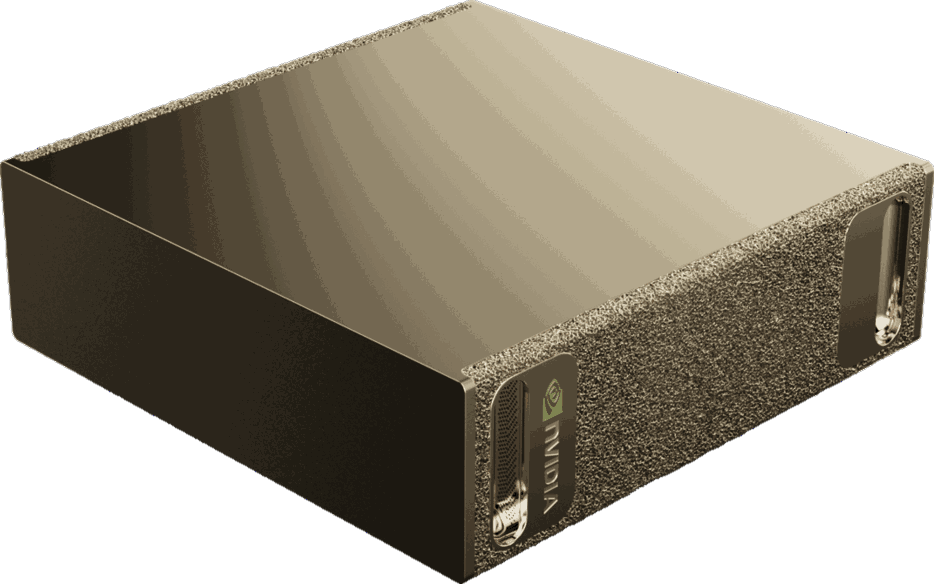 NVIDIA GB10 (Grace Blackwell) with 128 GB of unified memory for CPU and GPU, enough for the chat model, embeddings and reranking at the same time.A compact device for an office or a server room. It is connected on your network, behind your firewall.For higher demand or fully separated networks we size Air-Gap Enterprise in the offer.
Common questions
In the Appliance/Standard profile it is Qwen3-8B, an open-weight model under the Apache-2.0 licence. The quality profile uses Qwen3-32B in FP8 quantisation. Which models sit on your appliance depends on the profile and is recorded in the offer.
No. The models run as pinned versions and are not further trained on your content. What the platform learns from your documents sits as sourced knowledge in your knowledge layer, not in model weights; that knowledge can be checked and deleted.
No. Every model sits entirely on the appliance. In air-gap operation the platform works with no internet connection at all; updates arrive as reviewed offline packages.
Nothing extra. There is no billing per token: you pay a fixed monthly price for the appliance, regardless of how heavily your team uses it.
As reviewed packages. A new version takes the same qualification as the first model, is pinned and only then replaces the old build after delivery. Nothing is fetched automatically from the internet.
On Private Spark and Air-Gap Enterprise, deliberately not: there is no path to an external model API. Anyone who prefers a hosted offering has European On Demand as a separate operating model; the two stay strictly apart.
Local models
From that number and from what you require of the data, it follows which model profile belongs on your appliance. Tell us both and we will work out the profile and the cost.